
View a Quality Control (QC) report
You can view a Quality Control (QC) report for a completed analysis in Ion Reporter™ Software. The QC report provides a high-level summary of key metrics that you can use to evaluate the quality of the data. You can also download a PDF version of the QC report.
- In the Analysis tab, click Overview.
-
Select the row for the report of interest, then click
 .
.
Alternatively, you can click the analysis link to open the Analysis Results screen, then click .
The QC Report opens.
These images show sections of the QC Report.
Table 1. Analysis Information 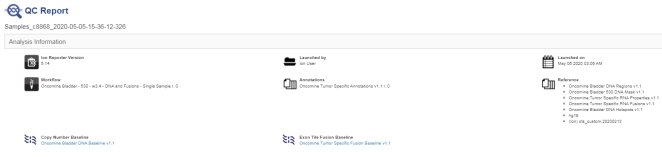
Table 2. Sample Information 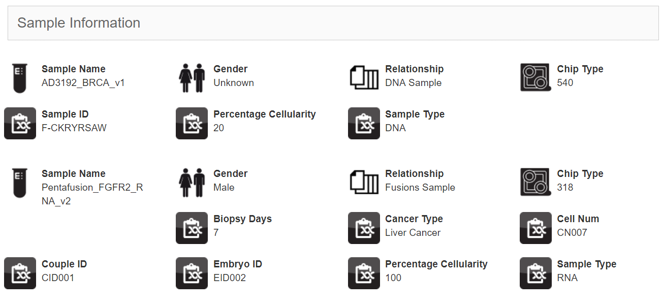
Table 3. QC Metrics 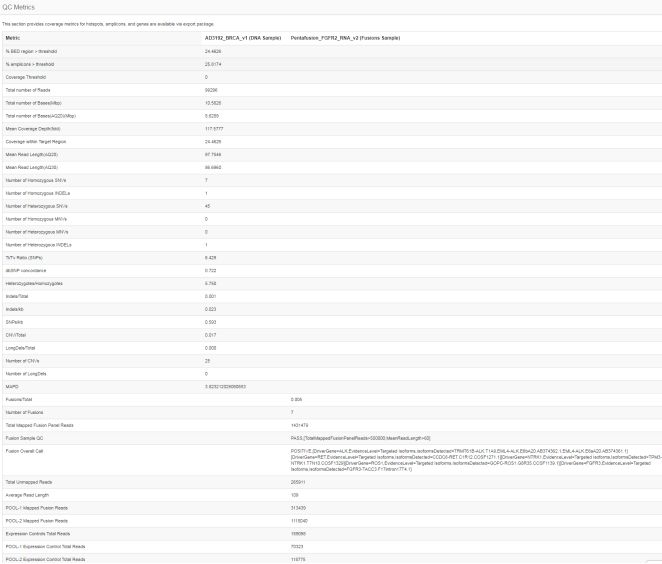
Table 4. Coverage Metrics 
-
To download a PDF of the QC report:
- Click .
- Download the report from the Notifications screen. The file name for the PDF is id_QC.pdf, where id is a system-generated analysis identifier.
You can also view the QC report in your browser, or find the PDF file in the folder that you use for downloads, depending on the browser settings. -
To download a ZIP file that contains the QC Report PDF, a tab-separated file of the QC metrics, and individual text files of coverage statistics by amplicon, analysis, and gene:
- Click .
- Download the ZIP file from the Notifications screen. The file name is qc-report-id.zip, where id is a system-generated analysis identifier.
You can also view the QC report in the browser, or find the PDF in the folder that you use for downloads, depending on the browser settings.