Create a MyVariants and Variant Classification filter chain
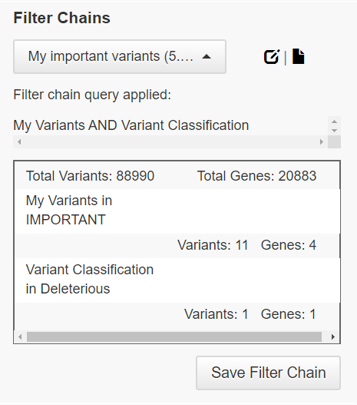
You can create a user-defined filter chain to narrow the analysis results to include only the variants that are flagged and classified by members of your Ion Reporter™ Software organization. This example shows how to set up a filter chain for MyVariants that are flagged as Important and classified as Deleterious in Ion Reporter™ Software.
IMPORTANT! If using a single filter with a NOT operator, do not use a parenthesis. If parenthesis is used, the filter chain can be saved but an error occurs when applying the filter chain in analyses results. For example, use NOT Filtered Coverage instead of NOT (Filtered Coverage).
- In the Workflows tab, click Presets.
- Click .
- In the Create Filter Chain dialog box, enter a name and optional description.
-
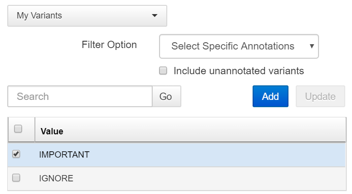
In the Choose Filter list, select MyVariants.
-
Select Important.
-
Select Important.
-
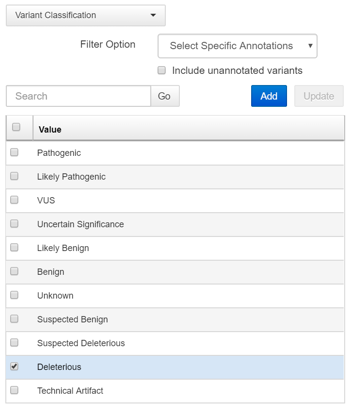
In the Choose Filter list, select Variant Classification.
-
Select Deleterious.
-
Select Deleterious.
- Click Save.
The user-defined filter chain is available to be added to an analysis workflow, or applied to analysis results or a visualization. For more information, see Add a filter chain to an analysis workflow, Apply a filter chain to analysis results, and Use filter chains to change analysis results.
Example of a MyVariants and Variant Classification filter chain applied to analysis results.