
Reset the API token on Ion Reporter™ Server
These procedure can be performed by either an administrative user or a regular user of Ion Reporter™ Software on Connect. To reset the API token for Ion Reporter™ Software on Connect, see instead Reset the API token for Ion Reporter Software on Connect.
- Configuration of the IonReporterUploader plugin in in Torrent Suite™ Software.
- The access of data from the Web services API.
IMPORTANT! The API token is like a password. When you generate a token, it is similar to resetting a password, and existing users become locked out. Under most circumstances, you should not generate a new API token if one already exists.
Two functions of the IonReporterUploader plugin do not work when you regenerate the API token. The functions and the steps to recover functionality are as follows:
-
IonReporterUploader plugins that are configured with your Ion Reporter™ Software account.
-
Scripts or code that access the Ion Reporter™ Software Web services API with your previous token. To recover, use your new token with those scripts.
-
Click
 (Settings) Manage API Token
- Click Generate to generate a new token.
- Click Copy to use the token for the Ion Reporter™ Server Web Services API.
-
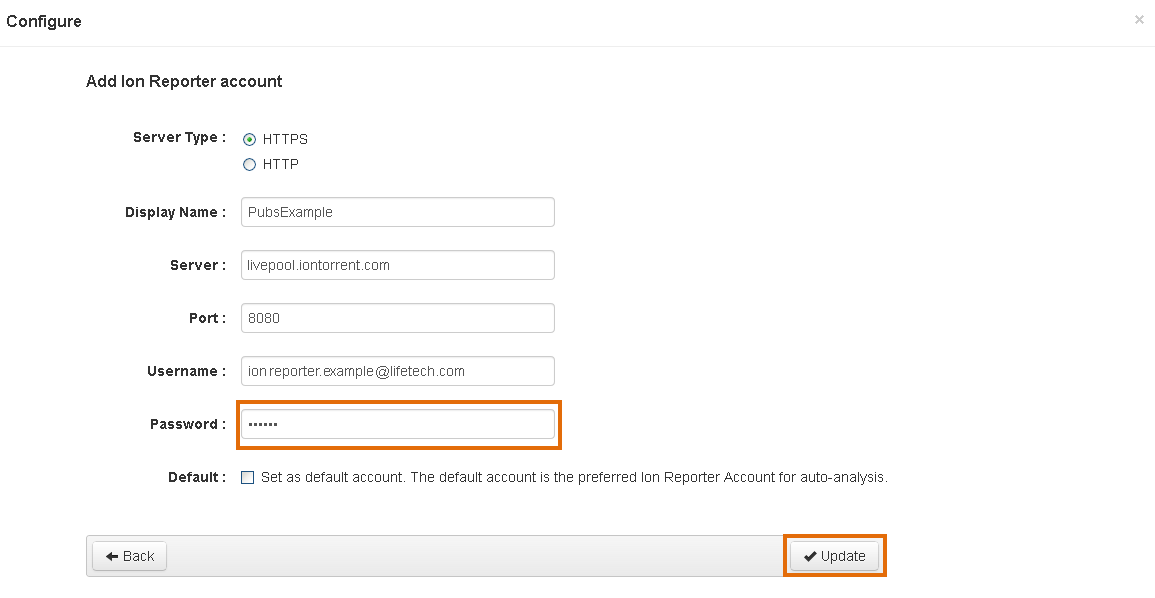
Use the new API token to reactivate the account that is configured for use with the IonReporterUploader plugin in Torrent Suite™ Software.
In Torrent Suite™ Software when you set up an account for use with the IonReporterUploader plugin, you must enter the password in the Password field, then click Update.
-
Use the new API token with scripts or code that access the Ion Reporter™ Software Web services API.