View Genomic Instability Metric (GIM) in analysis results
The Genomic Instability Metric (GIM) is a proprietary measurement that quantifies genomic scarring associated with Homologous Recombination Deficiency (HRD). Starting with Ion Reporter™ Software 5.20, Oncomine™ Comprehensive Assay Plus analyses report GIM.
GIM summarizes unbalanced copy number changes in autosomes that are determined using genomic segmentation, and the software generates a value between 0–100. Higher GIM values correlate with the observation of more genomic instability in the sample.
In addition to GIM, the Genomic Instability Status is also reported. Genomic Instability Status compares GIM to a threshold. Genomic Instability Status is reported as high if GIM is equal to or greater than the threshold or low otherwise. By default, the threshold is set at 16, which is based on ovarian cancer. If a threshold is not set, Threshold not set is reported. If GIM cannot be calculated, a value of no call is set.
- In the Analyses tab, click Overview.
- Search, sort, or filter the Analyses table to find the sample result of interest.
- In the Analysis column, click the hyperlink for the analysis of interest to open Analysis Results screen.
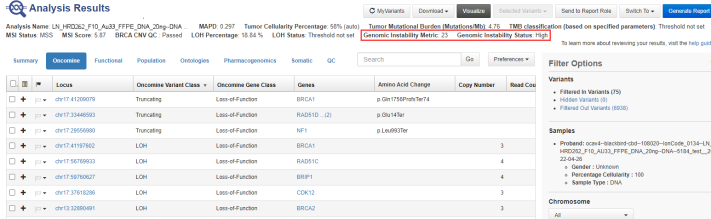
GIM and Genomic Instability Status are listed below the Analysis Results screen header (red box).