Evaluate analysis results
You can evaluate analysis results in Ion Reporter™ Software by comparing multiple analyses. For example, you might compare new analysis results to known accurate analysis results.
Visualization of a single trio or paired analysis is supported, because trio and paired analyses each contain more than one set of variants.
- In the Analyses tab, click Overview.
- Select multiple analyses, then click .
You can review the results in various ways. For more information, see Compare results of single or multiple analyses.
Compare results of single or multiple analyses
You can review results for single analyses, or compare the results of multiple analyses in the Analysis Visualization screen. Visualization for multiple analyses supports the following views, depending on analysis workflow type.
-
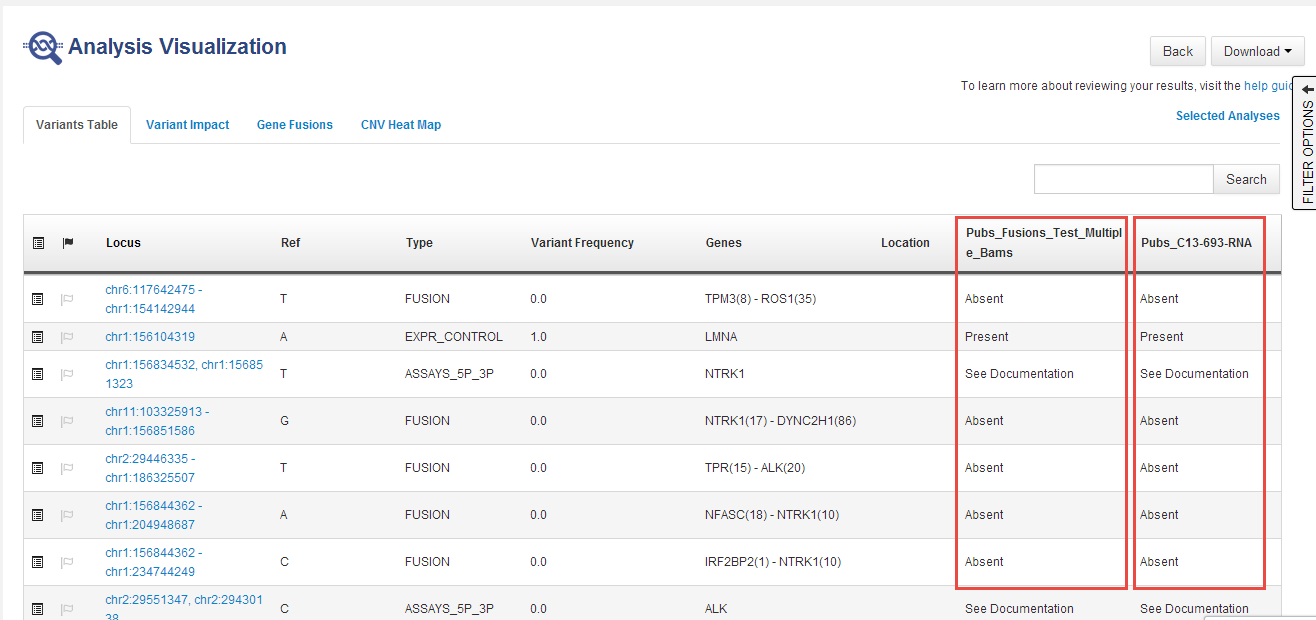
In the Variants Table tab, the table view shows side-by-side columns to compare variant calls in different analyses:
-
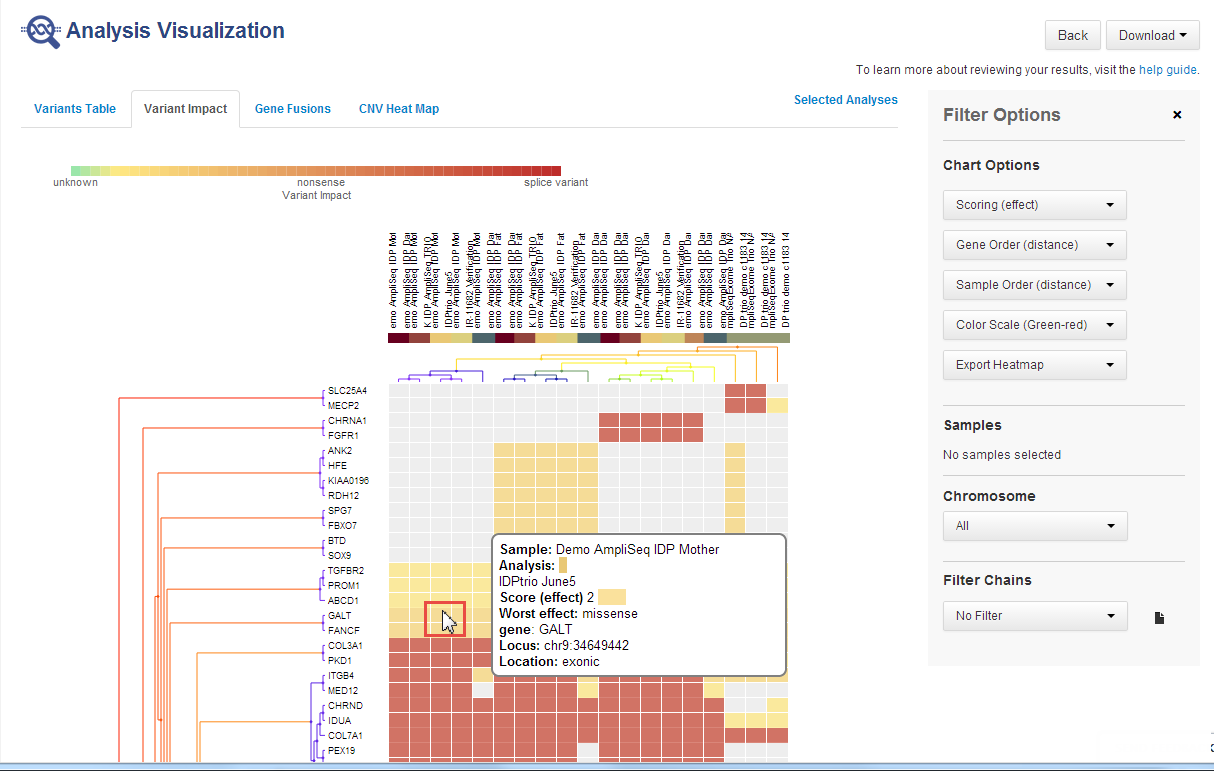
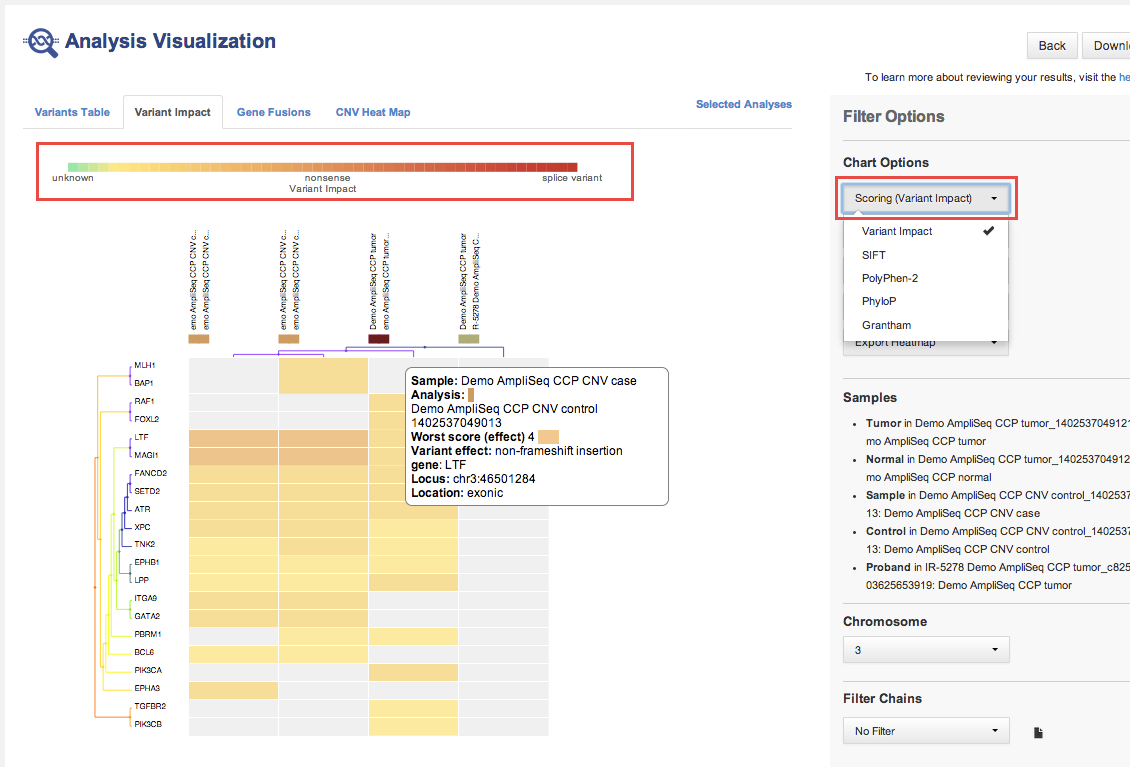
In the Variant Impact tab, the variant impact heat map that displays is based on the predicted variant impact:
The following is a variant impact heat map that is based on the predicted variant impact.
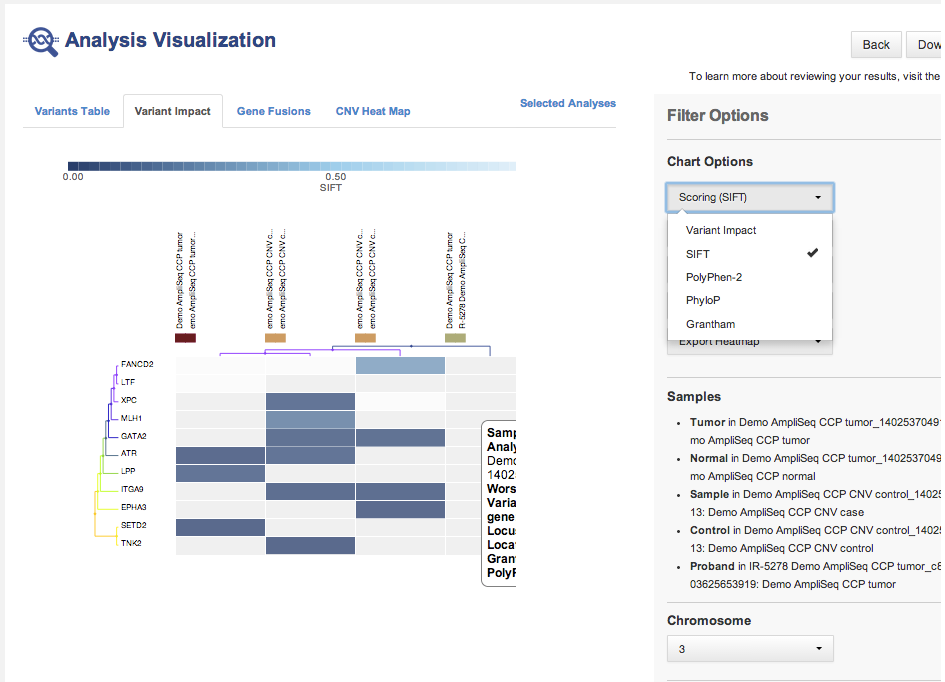
The following is a variant impact heat map that is based on other scoring.
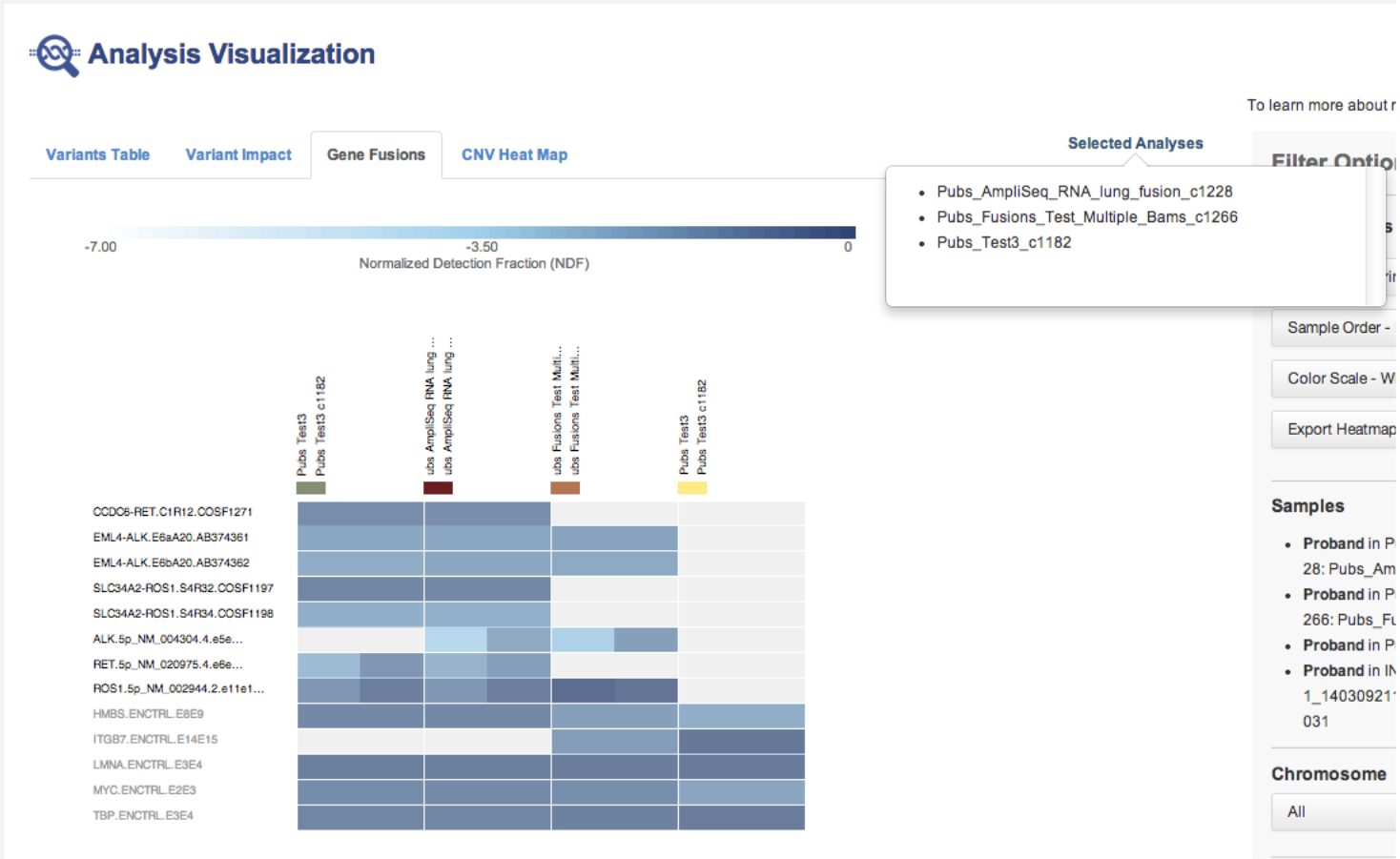
The following is a gene fusions heat map.
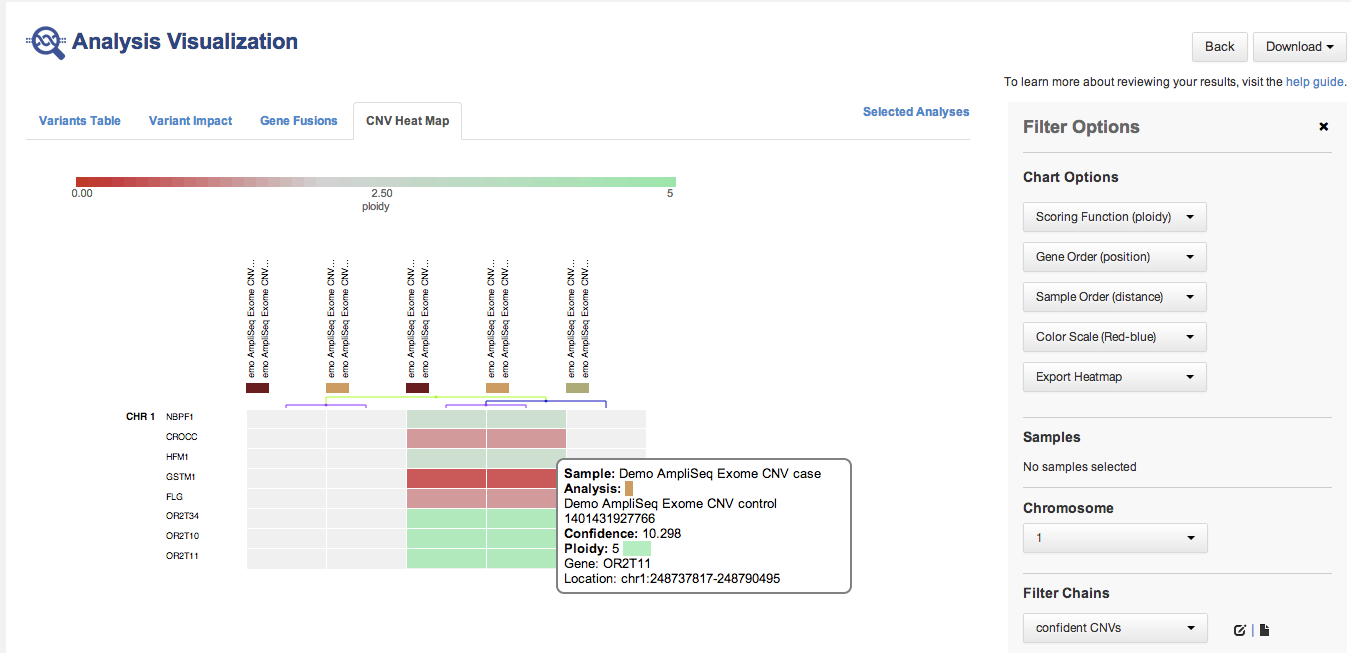
The following is a CNV heat map.
-
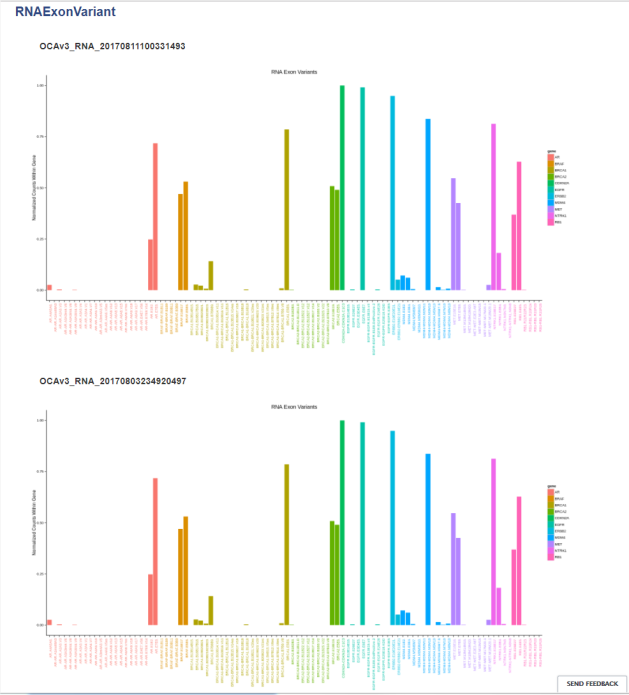
RNA Exon Variants:
-
In most cases, similar analyses are compared. However, Ion Reporter™ Software does not restrict comparisons to only similar analyses.
-
You can compare one trio or one paired analysis without selecting multiple analyses. Each trio or paired analysis contains more than one set of variants.
-
Place the pointer over the legend of a heat map:
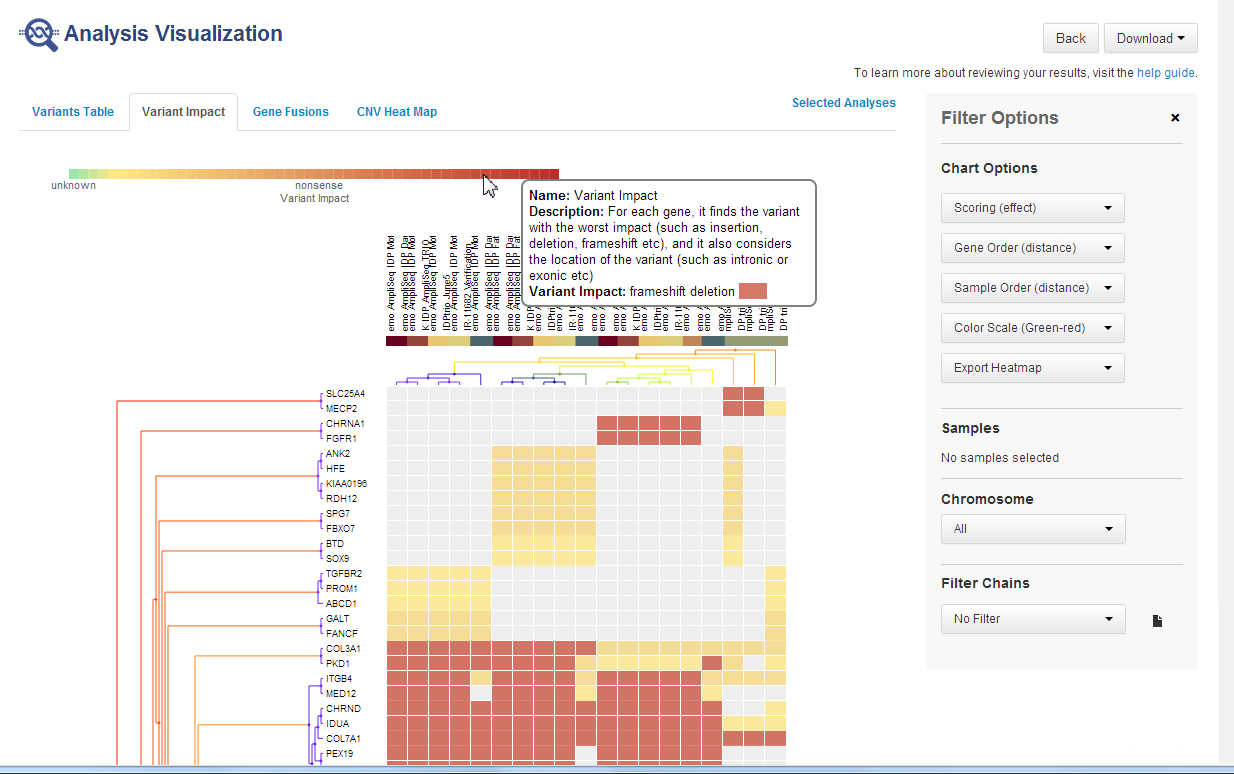
Hover over the legend of a cell to see more information: